Mastering Image Metadata: A Deep Dive into EXIF Data and Privacy in 2026
Jeel Patel
Editorial Team
At a Glance
Your photos carry more information than you think. Learn what EXIF data is, why it's a hidden privacy risk, and how to master image metadata to protect your location and personal identity in 2026.
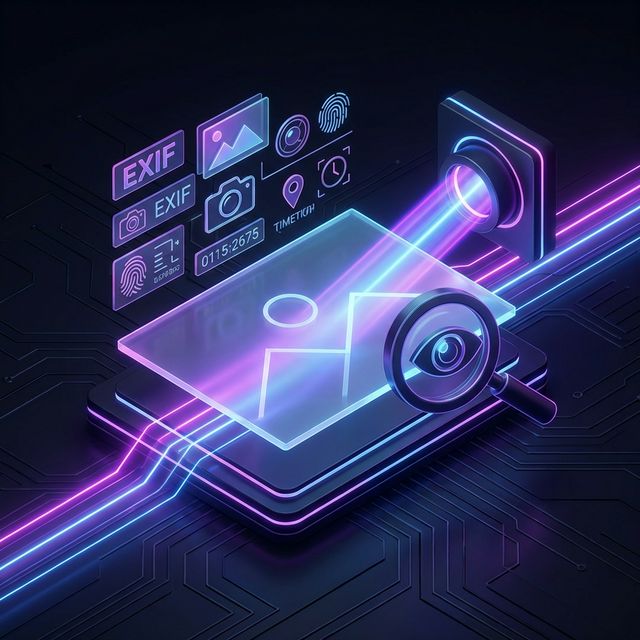
Every photo you take is more than just an image—it's a data-rich capsule. Behind the pixels lies metadata, a hidden ledger of technical and personal details that can reveal exactly where you were, what device you used, and when you were there. In 2026, mastering this data is essential for preserving your digital anonymity.
What is EXIF Data?
EXIF stands for Exchangeable Image File Format. It is a standard for storing interchange information in image files, particularly those created by digital cameras and smartphones. While it was designed to help photographers track their settings, it has become a significant privacy vector.
Technical Metadata
- Camera model and manufacturer
- Lens type and focal length
- Shutter speed, ISO, and aperture
Privacy-Sensitive Metadata
- GPS Coordinates (Latitude & Longitude)
- Timestamp (Exact date and time)
- Direction (Compass heading)
The GPS Goldmine: Why It Matters
The most significant privacy risk in 2026 is the automatic geotagging of photos. Most modern smartphones have GPS enabled by default for their camera apps. When you share a photo of your new puppy or a meal at home on a public forum, you are potentially broadcasting your exact home address through the metadata embedded in that file.
"Metadata is not just data about data; it is a map of our movements and a timeline of our lives."
Advanced Threat: AI Metadata Fingerprinting
In 2026, cyber attackers are increasingly using AI to "fingerprint" devices based on subtle inconsistencies in how specific hardware and software versions write metadata. By aggregating metadata from multiple images shared by a single user across different platforms, AI can build a strikingly accurate profile of a person's routine and device ecosystem.
How to Protect Yourself
The solution isn't to stop taking photos; it's to take control of what you share. Follow this 2026 privacy protocol:
Disable GPS tagging
Turn off "Location" in your smartphone camera settings.
Use EXIF Cleaners
Run sensitive images through a metadata stripper before sharing.
Screenshot Method
Take a screenshot of the photo to share; screenshots typically have zero EXIF data.
Trust-But-Verify
Don't rely on platforms to strip data; verify it yourself.
Metadata Search & Forensics
It's important to realize that metadata is searchable. Modern operating systems and cloud services index EXIF data, allowing you to search your library for "Photos taken in Paris" or "Photos taken with iPhone 15." While convenient for organization, it makes it easier for others to sift through your history if they gain access to your files.
Reverse Image Lookup & Metadata
Search engines are becoming more adept at using metadata to link disparate images on the web. Two different photos might look unrelated, but if they share the same unique device serial number in their EXIF data, they can be linked back to the same owner.
Storage Efficiency
While metadata is small, stripping it from thousands of images can save meaningful amounts of storage space in large-scale professional catalogs, while simultaneously improving load times for web-optimized galleries.
How to View EXIF Data (2026 Guide)
Curious about what your photos are hiding? Here is how to view metadata on every major platform without any extra software:
Windows 11
Right-click image > Properties > Details tab. All EXIF fields are listed here.
macOS
Open image in Preview > Press Cmd + I > Click the "i" circle > EXIF.
iPhone (iOS)
Open photo > Swipe up or tap the (i) icon. The map and settings will appear below.
Android
Open Google Photos > Swipe up on the photo > Check the "Details" section for GPS info.
The Professional Flipside: Why Metadata is Useful
It's not all about risks. Professional photographers and creators rely on IPTC metadata to protect their work. This type of metadata stores copyright information, licensing details, and contact info directly within the file.
Creators' Tip: The "Copyright" Seal
When optimizing images for your professional portfolio, you might want to strip GPS and camera settings but keep the Copyright and Creator fields. This ensures that if your image is shared widely, your ownership remains intact.
Bonus Tip: "Conversion as a Privacy Shield"
One of the most effective ways to strip all image metadata and ensure document integrity is to Convert to PDF. When you convert a series of JPGs into a single PDF document, the original EXIF blocks are typically discarded in favor of standard PDF metadata, which you can then customize or lock with a password.
Conclusion
Image metadata is a double-edged sword: a powerful tool for document organization and a quiet threat to personal privacy. By understanding what you are sharing along with your pixels, you can enjoy the benefits of digital photography while maintaining control over your digital footprint in 2026.
Optimize your images now
Use our privacy-focused tools to compress and optimize your images for the web while maintaining total control.
Jeel Patel
Security & Privacy Specialist
Jeel specializes in digital security and privacy at Editobox, focusing on document protection and data privacy best practices.
Think this guide could help someone else?
Spread the knowledge. Sharing takes seconds and helps us keep our tools free forever.